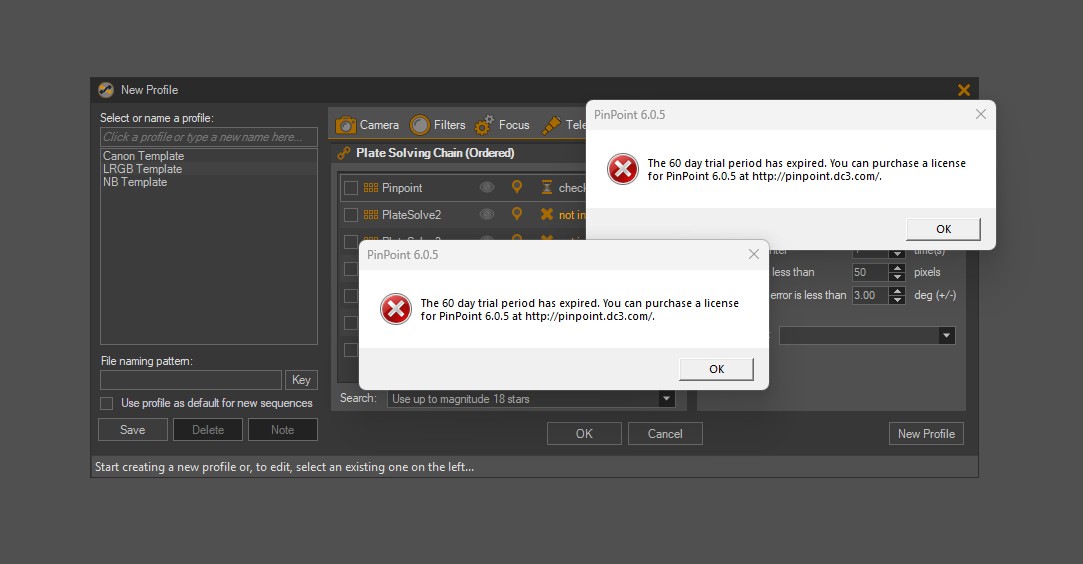
I’m going crazy to understand where these pop ups come from, I’m not currently a Pinpoint owner, I was more than ten years ago but then I didn’t renew the license. These messages appeared immediately after installing version 3 of SGP, I had a perfectly functional version 4, but I wanted to try again some features of the 3, now the problem also affects the 4, hope in you for some help
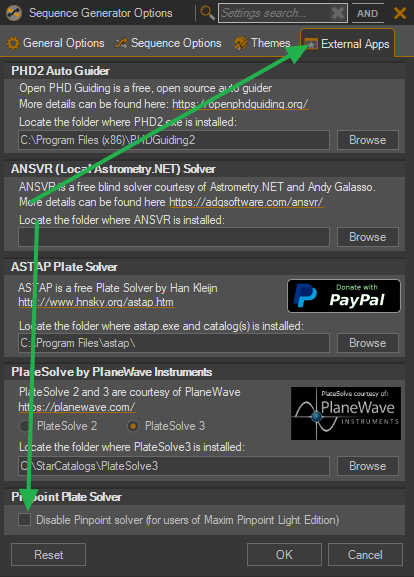
Ya, if SGPro 4.4 or earlier thinks that Pinpoint is installed, it will load and verify the license. SGPro 4.5 will do the same, but there is a new option to explicitly ignore it (meant for users with Maxim DL installed, but would work in this case too).
It will overwrite if you don’t change the install folder on install, but if you do both versions can live side by side with the following conditions:
Configuration settings (most things found in Tools > Options are shared between all versions
SGPro 4.5, depending on your gear may irreversibly change your profiles and sequences such that they can no longer be opened in v4.4. In other words, just make a copy of any profiles and sequences that are important to you)
SGPro 4.5 is pretty stable at this point. Lots of folks using it with success.