I’m setting up a new computer with SGP and I’m at the “point SGP to platesolving program” bit of the control panel set up. I was able to find PS2, but when I go to the PS3 dropbox from the help menu and even after download, I don’t see either the platesolve 3 program nor the required .dll file.
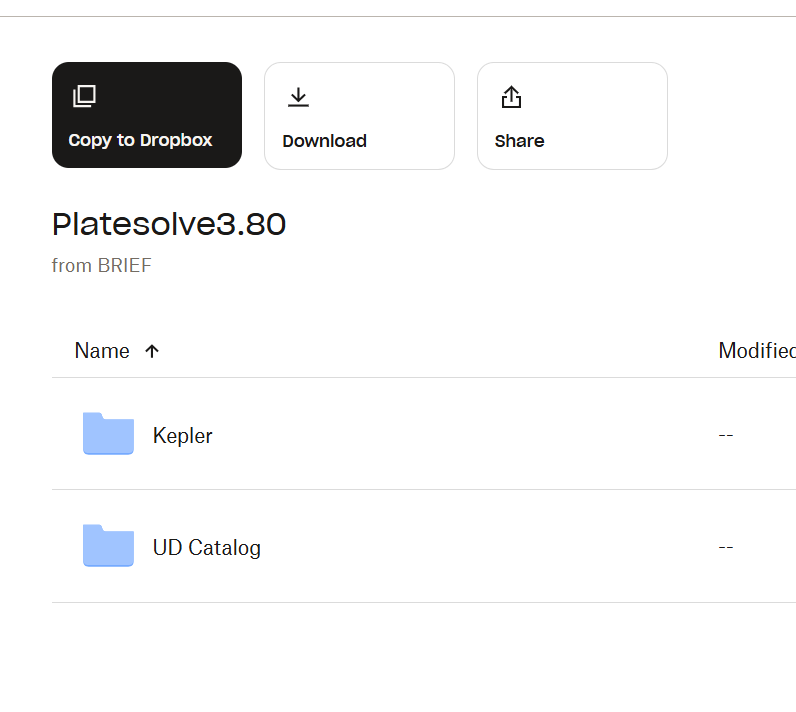
Attached is a screenshot of what I see in Dropbox and what gets downloaded to the computer. It’s just the catalogue. I’ve looked through the forum and I can’t find the answer to this particular question. Can someone help?
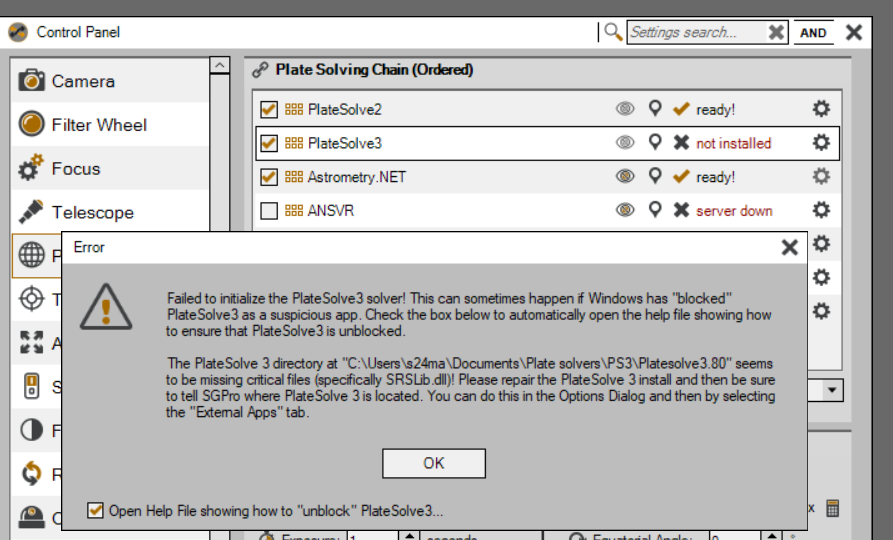
Here are relevant screenshots.
This is what I see when I extract the dropbox file, and what I see when I try to point SGP to it. Should I just use PS2?
No. When I download the Dropbox files all I see are the Kepler and UD Catalog. I do not see the Platesolve3.exe file nor the SRSlib.dll file. I have clicked “see hidden files” and they’re just not there (see my screenshot earlier in this thread). I’m at a bit of a loss.
Hey Ken, I found an alternate download site that has the actual Platesolve program, but not the SRSlib.dll file. But you might be able to work with it somehow. It links to a google drive with the same libraries but it has the executable PS3 program.
No problem. It still doesn’t work as the required srslib.dll file isn’t in that download. But at least the program is there. The program opens up and you can configure the library, but SGP doesn’t recognize it.
Ah, ya, SGPro doesn’t actually use the EXE file… it relies wholly on the dll file. I’ll see if I can grab it from my machine as ask PlaneWave if it’s OK to provide a download for it. I won’t formally post this on our site just yet until we have permission, but a temporary link is here:
I am looking to install platesolve 3 . You referenced instructions above but a click on that leads me no where. So where are the concise , complete instructions.? If I followed the instructions frrom Phoranso is that correct and then there is the issue of the SRSlib.dll file. Where do I get that.? thanks jacobsonc@comcast.net