Hi Ken,
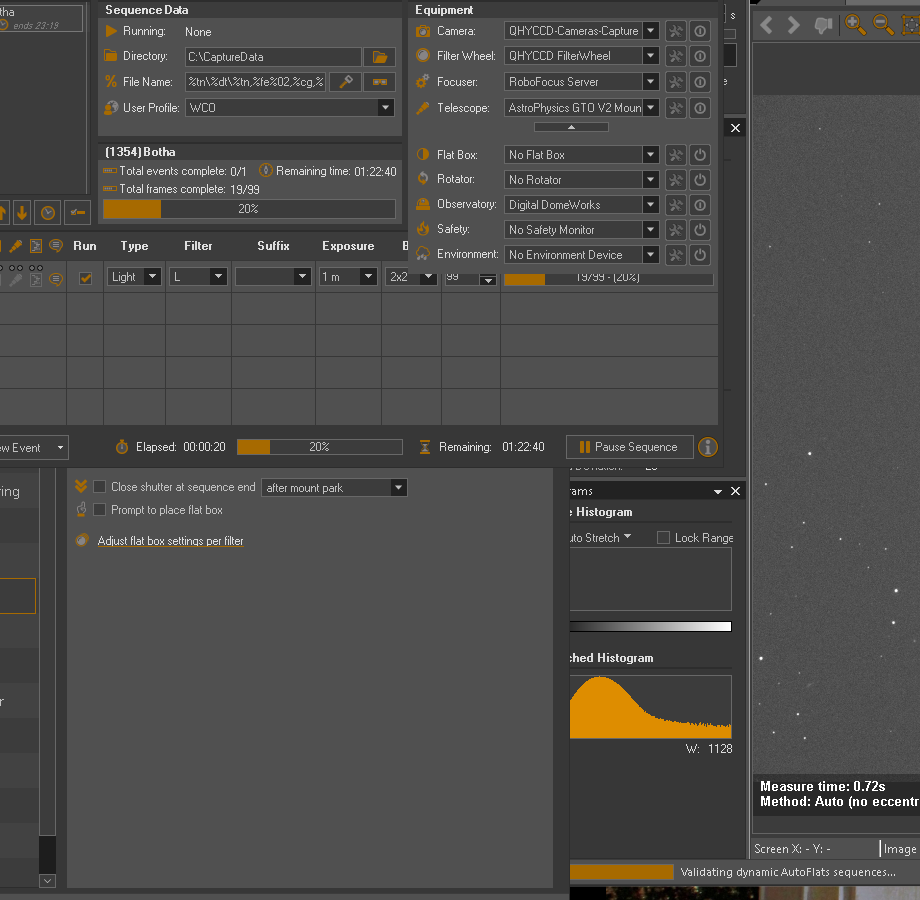
I have been getting some messages about operating the flat box even though I have none. I also got this using v 1546. I had to restart the sequnce. Doesn’t always happen.
Log is at:
Hi Ken,
I have been getting some messages about operating the flat box even though I have none. I also got this using v 1546. I had to restart the sequnce. Doesn’t always happen.
Log is at:
I don’t see any AutoFlats runs in those logs. I don’t really follow what you mean here
Can you provide additional detail? Why would this cause you to restart? Are you referring to a manual AutoFlats run or an AutoFlats run as attached to a regular SGPro sequence.
Are you certain that the sequence’s Flat Box dropdown does not have anything selected (even a Manual Flatbox)?
SGP would not go beyond the validating message at the bottom so I had to end the task and restart.
Kent
Hi Ken,
Tonight, I got the validating autoflats message and a GNS error message, but it went ok after continuing from the GNS error. Is that dynamic validation of autoflats supposed to happen even if I don’t have a flat box?
Regards,
Kent
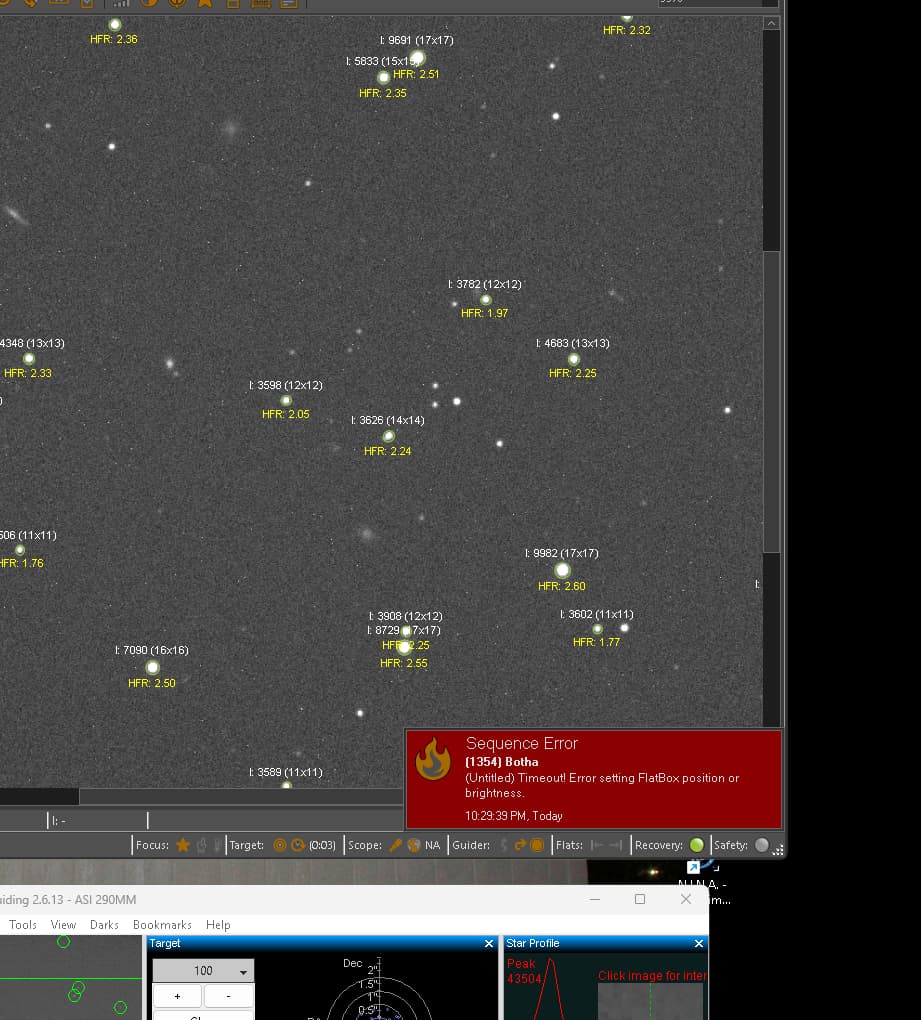
Later on I got a red box saying there was a flat box error. There is no flat box in the sequence.
Here is the log that has the error message above:
I am wondering if this validating dynamic flats message is a red herring. In other words, you do not have AutoFlats enabled as part of your sequence so no work is done to validate it. This means that that particular message was just the last thing that sent a status bar message before hanging. Unfortunately there are dozens of things that happen after that message is sent.
If I had to guess, I’d say that, based on the original logs you provided, that you are possibly seeing intermittent issues with the DigitalLoggers switches (i.e. maybe network issues). I am not certain of this, but upon starting a sequence it appears as though that is the last thing SGPro was doing before you terminated the sequence.
It can still be required. AutoFlats is fully functional without one (i.e. sky flats)
But… clearly this should not happen. This message can also be ignored… it seems like, in the place where a flatbox would be set (if you had one), this watchdog timer is set for all sequences and, for you it should be cleared when the next timer is set, but a bug in the way that the sequence was user terminated left this watchdog running and it went off 7 minutes later despite the sequence termination. This has been addressed.
Hi Ken,
I can ignore error messages if I understand that they are not harmful. I am always concerned, however, that an error message might signify problems in some other area as well.
The autoflats situation only began when I started using the latest Beta. I was using 1498 before. Maybe it is the switches but I have not seen anything different with them or the network. I’m not sure what you mean by “upon starting a sequence it appears as though that is the last thing SGPro was doing before you terminated the sequence”. I used to get the last message In 1498 that “switch 0 is set to 0” or something similar and that was the end of the run. I normally have the sequence set to turn switches off after disconnecting devices. After that, I typically close SGP. The switches seem to consistently work fine in SGP ever since you programmed around the Digital Loggers issue.
Thanks for the info,
Kent