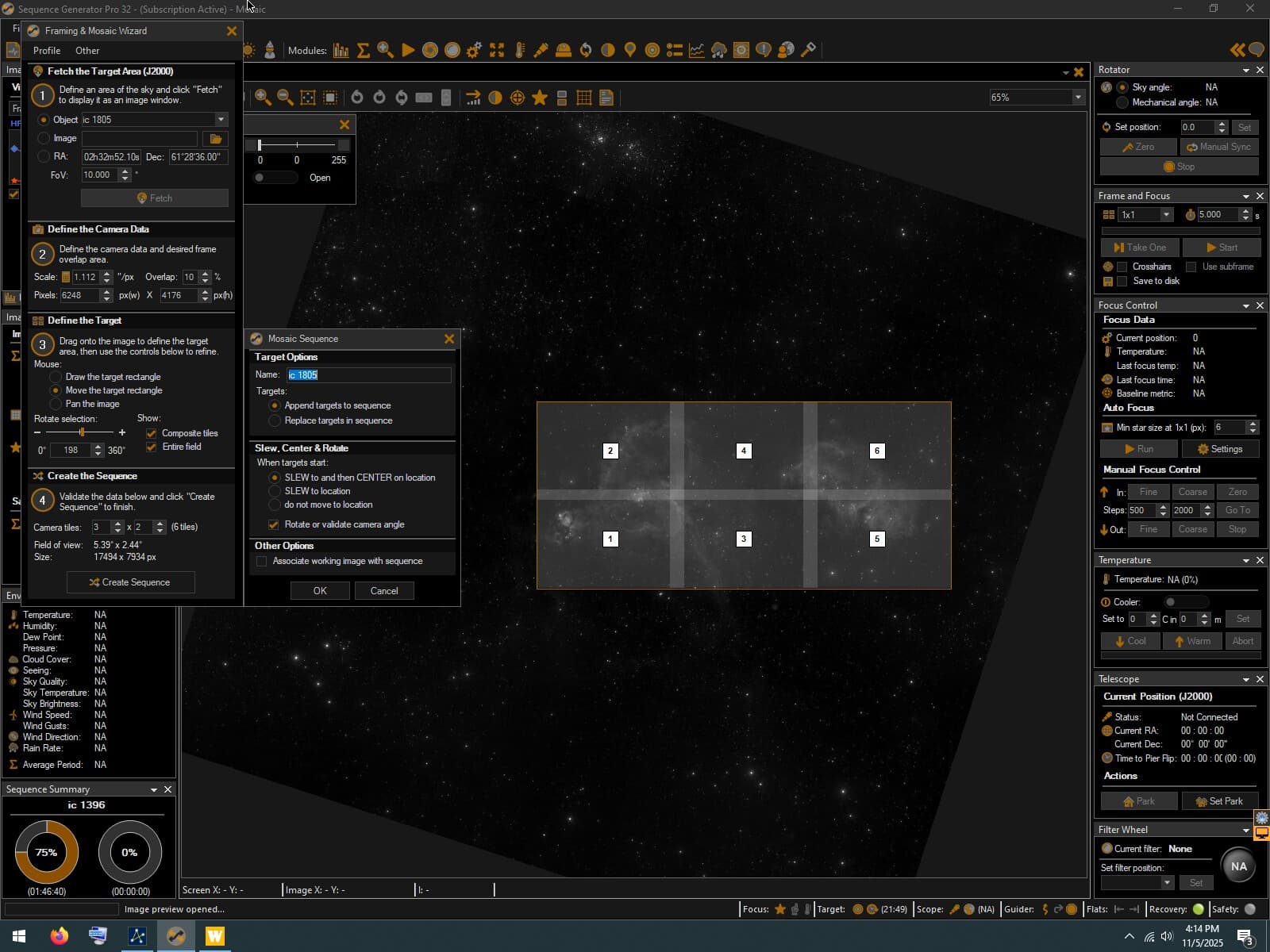
I’ve tried twice now to shoot a mosaic of the heart and soul nebulas unsuccessfully using the framing and mosaic wizard. I have used the tool to shoot many large 4-6 panel mosaics in the past without issue, but starting from scratch on this target I’ve come up with problematic results. Here is what I had framed out in both cases in SGP:
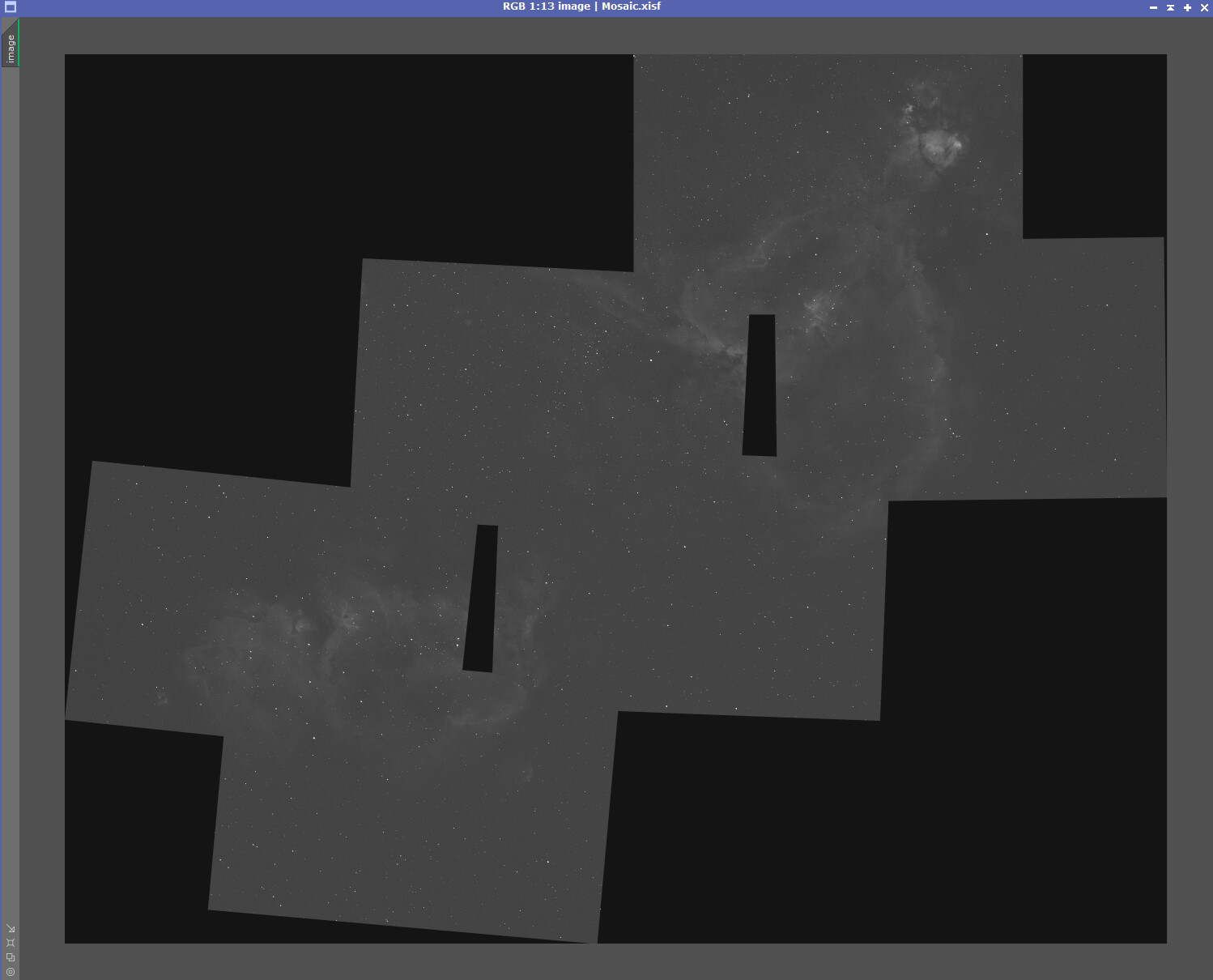
In both instances I had the same problem with the panels being misaligned.
I noticed someone had a similar issue years ago shooting the soul nebula here, but the issue doesnt appear to have been resolved:
I am using a nightcrawler rotator and as I mentioned, I have had no issues aligning mosaics in the past.
My hunch is that framing and mosaic tool is struggling with this object (in both my case and the one from a few years ago that i linked) with mosaics near the celestial pole. I believe it’s some sort of projection conversion issue when it calculates where each of the corners of each panel should be, because clearly both objects appear to be covered (and overlapped) in the planning too, but there are gaps and the orientation is all wrong in the acquisition. All the panels appear to be about 45 degrees off from where they should be.
Is there any way to account for the projection issue in framing and mosaic window to resolve this?
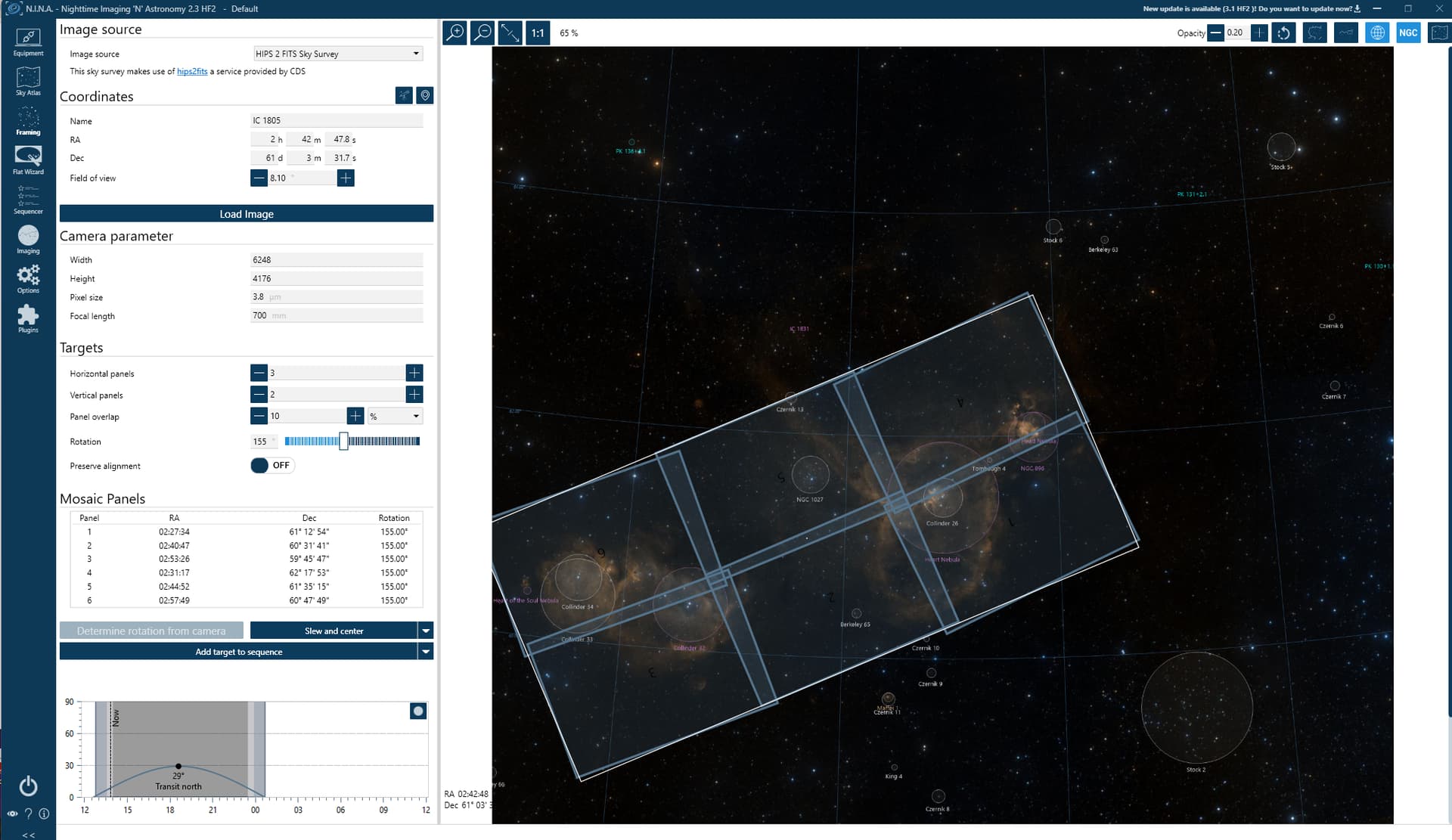
For comparison in NINA, the mosaic tool appears to account for some curvature. Is SGP doing this behind the scenes? If not, could this be the source of error?
The angles on those tiles are not correct. When aligned properly the 6 tiles should form a rectangle just like in the preview canvas. The mosaic created in your screenshot requires the camera be rotated to an angle of 198 degrees. What method did you use to validate and correct this.
There is no way that curvature issues would create this sever on and error.
I used ASTAP to solve, and I’ve always used the nightcrawler to handle rotation, all automated through SGP center and rotate. It’s not had an issue with framing of other targets in other parts of the sky, whether they be single frame or mosaic.
Only other thing I can think is that I updated to the latest version of SGP prior to shooting this mosaic and another single frame target im working on, however the rotation for the single frame was correct. I dont think any settings changed. I’m not sure if there’s another setting somewhere im missing but in the first screenshot I have checked off “rotate or validate camera angle”….not sure there’s another place where I need to do that?
Reason I bring up that part of the sky is because of the thread that I linked where someone else had an issue with this same target in the same manner, and that didnt seem to be resolved either…same off by 45 degrees issue. I tried twice with this same framing with the same result, but never saw an error saying unable to center/rotate.
My sense is that framing and mosaic is not handling the changing dec correctly as it gets closer to the pole and that in turn messes up the rotation of frames. Is there a way to verify this somehow?
This is not a curvature issue. I have personally imaged this area of the sky several times with SGPro’s MFW and this is not an issue. This is just a camera rotation issue… the question to answer is: why is the camera mis-rotated? The options are:
The mosaic tiles (targets) did not have the “rotate” option selected or it was elected, but the wrong angle is present (or possibly the mechanical PA option was selected)
All rotation options for tiles are specified correctly but there is an error in SGPro’s conversion of the angle provided by ASTAP to the equatorial angle (the standard angle used by SGPro)… issues here will often create 90 degree error though.